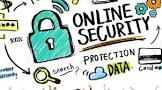
SEVEN CYBERSAFETY TIPS
Seven Cybersafety Tips
You take care of your physical health, but are you just as careful about your online safety? Here’s how to protect your information from those who want to steal it.
1. Choose long, complex passwords.
Short and simple is easy for hackers to crack. Aim for at least 16 characters and mix in uppercase and lowercase letters, numbers, and symbols. One strategy is to use a password manager. It’s a secure program that creates and saves passwords so that you don’t have to remember them all.
2. Enable multifactor authentication (MFA).
Turn on MFA anywhere it’s offered. This adds an extra step when logging in to accounts and apps. For example, you might need to confirm a code sent to our phone. It’s a simple way to significantly lower your risk of getting hacked.
3. Be a savvy online shopper.
Buy only from reputable, established companies. One sign of safety: a URL that starts with https:// (rather than http://). Use a credit card for extra protection against fraud, even when paying through apps like PayPal, Google Wallet, or Apple Pay.
4. Upgrade your browser.
Modern browsers can alert you when security features aren’t turned on and warn you about unsafe sites. They also help protect the confidentiality of sensitive information. Popular browsers include Chrome, Microsoft Edge, Opera, and Safari.
5. Watch out for unexpected emails.
Ignore messages that push you to act fast, promise deals that seem too good to be true, or ask for personal details. Even if the email seems to be from a real person or company, don’t click links or open attachments. Instead, contact the company directly using a trusted phone number.
6. Share with care on social media.
Check your privacy settings and update them if needed. Disable location options that let others see where you are. Also, if you’ve publicly shared things like pet names, the school you attended, or your birthday, never use those as passwords or answers to security questions.
7. Keep your devices updated.
Install updates for your phone, computer, and apps when they’re recommended. These often include fixes to better protect your data. Tip: Turn on automatic updates so you never miss a security upgrade.
Enjoy the benefits of being online
Don’t let fear hold you back from enjoying all the internet has to offer. To build your skills and confidence, visit acl.gov/CommitToConnect/tech. It’s a trusted site with tech resources specifically for older adults.